Delete Your Data
Last updated: June 7, 2026
At Courtab, you have full control over your data. You can delete your account and all associated data directly from Courtab at any time. This page explains how to do it and what happens when you do.
How to Delete Your Account
You can delete your account directly from Courtab in your browser. Follow these steps:
Open Your Profile
Open Courtab at app.courtab.app and go to the Profile tab.
Find Danger Zone
Scroll down to the bottom of your profile to find the "Danger Zone" section.
Click Delete Account
Click the "Delete Account" button to start the deletion process.
Review and Confirm
Review what will be affected by the deletion, then confirm to permanently delete your account.
Delete Account Screen
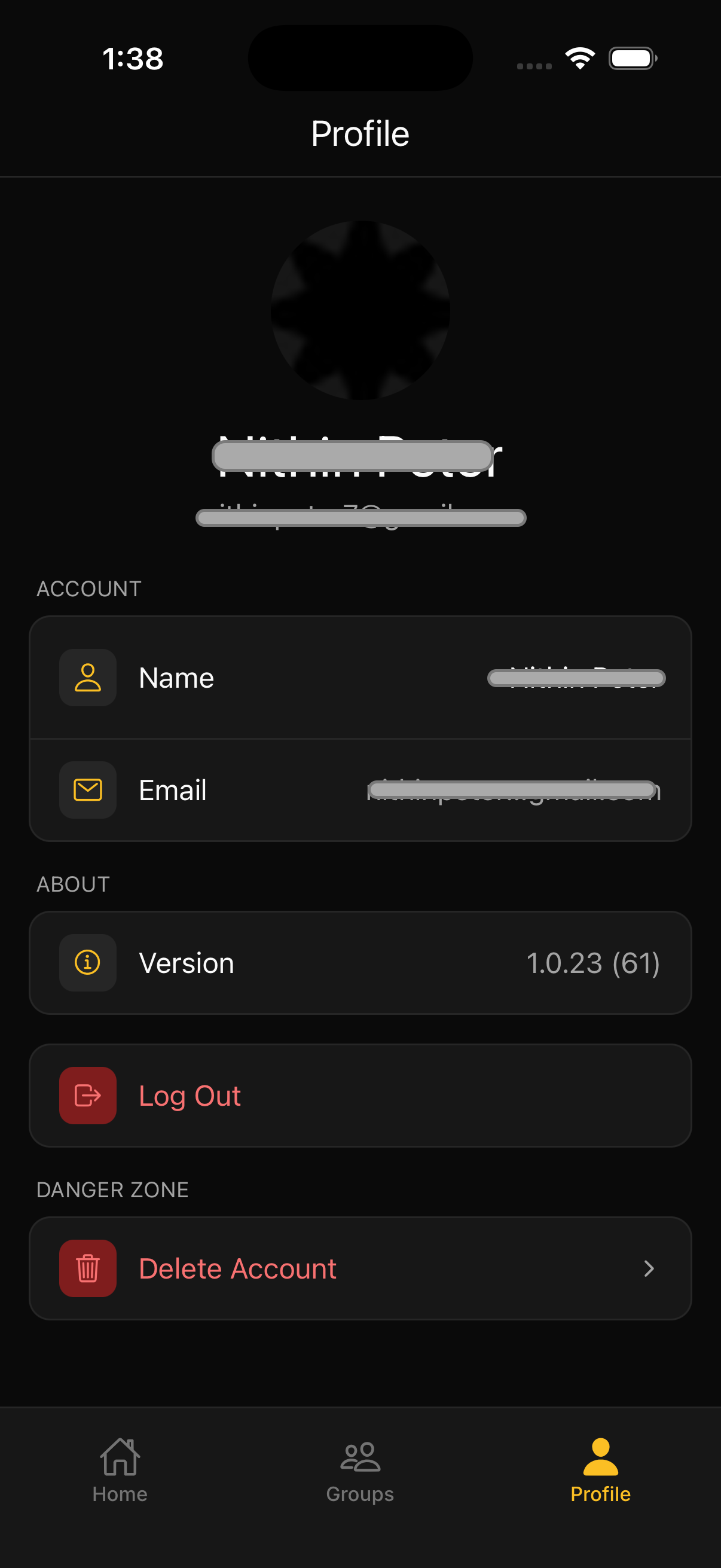
Profile page showing the "Danger Zone" section with the Delete Account option
What Happens When You Delete Your Account
When you delete your account, the following actions are taken:
- Groups you're in: You will be removed from all groups you're a member of
- Groups you own alone: Groups where you are the only member will be permanently deleted
- Expenses: Your expenses will be anonymized to show "Deleted User" instead of your name
- Settlements: Your settlement records will be anonymized similarly
- RSVPs: All your event RSVPs will be removed
- Pending invites: Any invitations you've sent will be cancelled
Important: This action is permanent and cannot be undone. Once deleted, your account and personal data cannot be recovered.
Before You Delete
In some cases, you may not be able to delete your account immediately:
Sole Admin of Groups
If you are the only admin of a group that has other members, you'll need to either transfer admin rights to another member or remove the other members from the group first. Courtab will show you which groups are blocking deletion.
Need assistance?
If you're having trouble deleting your account or have questions about your data, we're here to help.
Contact Support